OTNet Media Workflow
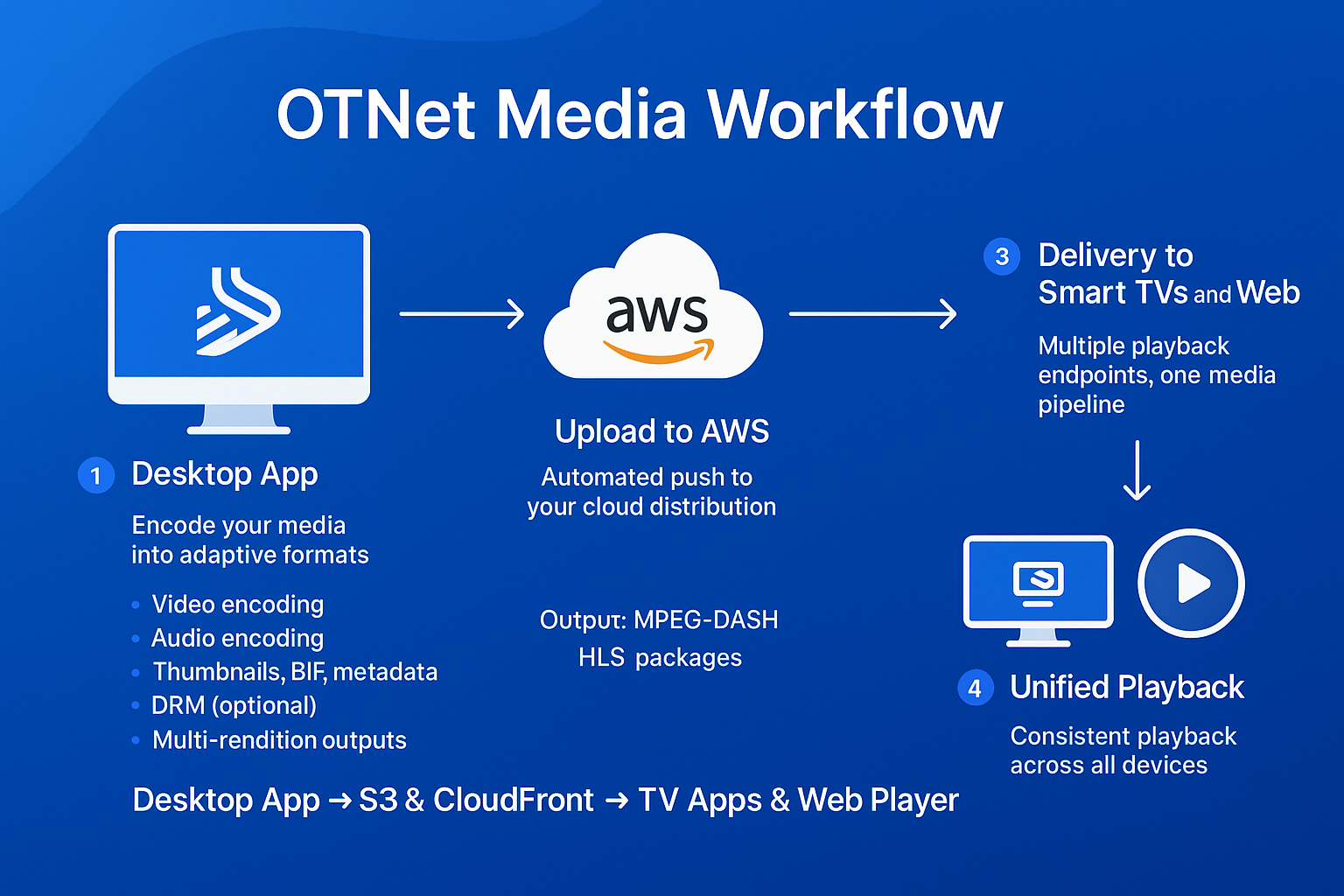
1. Desktop App
The OTNet Desktop App is used to encode your media into adaptive formats, including:
- Video encoding
- Audio encoding
- Thumbnails, BIF, and metadata
- DRM packaging with BuyDRM or EZDRM
- Multi-rendition outputs
Output formats: MPEG-DASH and HLS
2. Upload to AWS
Once encoded, your media is automatically uploaded to AWS S3, where it is organised into a structured manifest layout and delivered globally through Amazon CloudFront.
- Automated cloud upload
- Cleanly structured output folders
- Fast global CDN delivery
- Secure URLs and caching
Your content is now hosted and ready for playback anywhere.
3. Delivery to Smart TVs and Web
One pipeline, multiple playback endpoints:
Smart TV Apps
- LG webOS
- Samsung Tizen
- Android TV
- Fire TV
Powered by the OTNet TV App and the OTNet Media Player, built on Shaka Player.
Web Playback
- WordPress using the OTNet WordPress DRM Plugin
- Standard HTML5/JS video players
- Any website streaming via Shaka
Supports: DASH, HLS, DRM, Live, and VOD.
4. Unified Playback
No matter where users watch, they receive the same packaged media:
- Consistent playback across all devices
- Delivered via CloudFront
- Played through Shaka Player for reliable performance
Summary: Desktop App → S3 + CloudFront → TV Apps + WordPress + Web Player (Shaka). Encode once, deliver everywhere.